Light or Dark Garments? Choose Colours That Work with Your Logo
The garment colour is part of the design. Compare your logo on the actual products you are considering before choosing a shirt colour for the whole order.
Start with contrast at the intended size
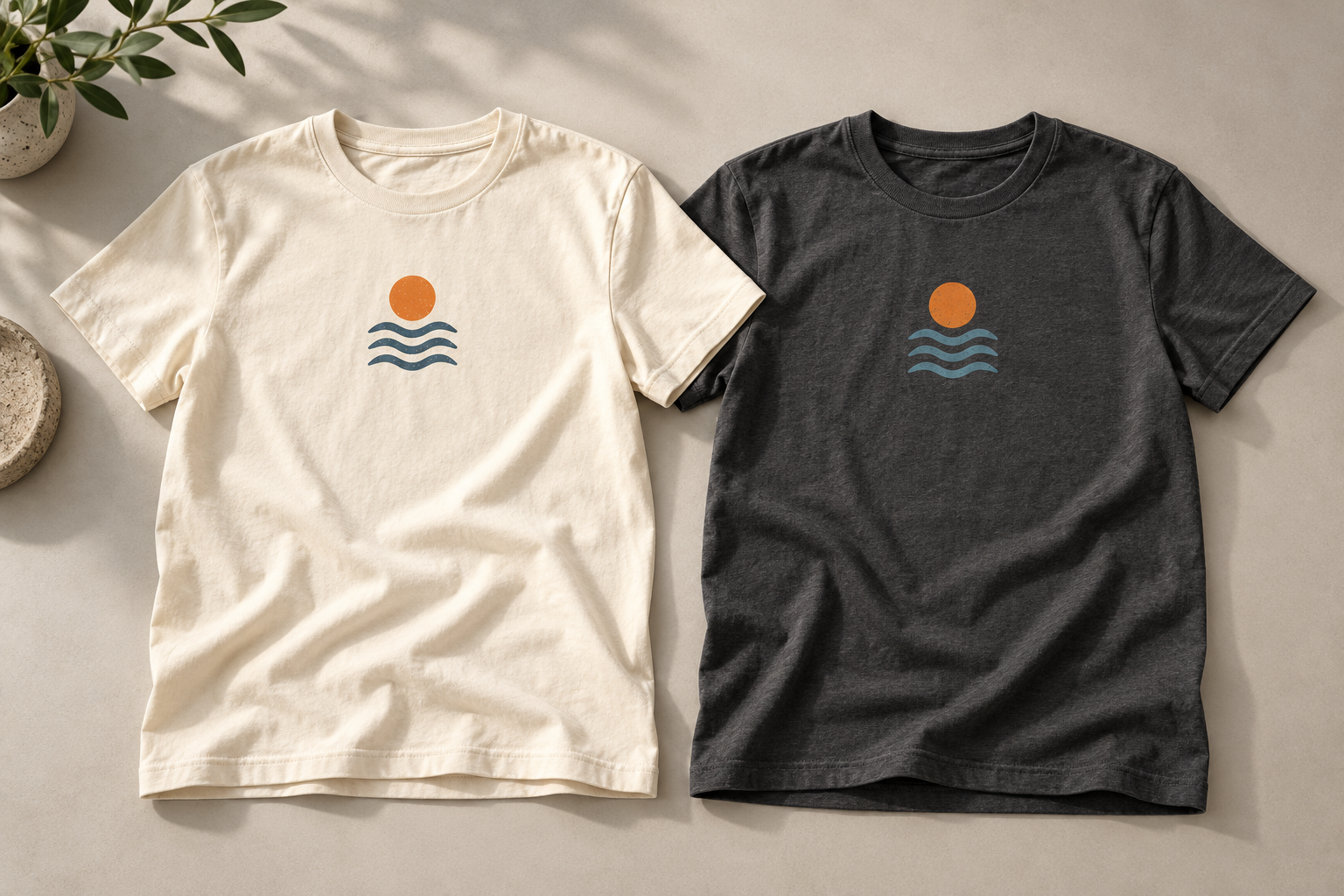
A logo should remain easy to recognize against the fabric beneath it. Compare the lightest and darkest parts of the artwork with the garment colour, paying particular attention to small type and thin lines. A design that looks clear on a white screen may lose detail on a dark shirt.
Review the mark at approximately its intended decoration size, as well as enlarged. A small chest logo has different demands from a large back graphic. Do not rely on a zoomed-in preview alone when deciding whether fine details will read well.
Choose the correct logo version
Many businesses have a full-colour logo, a dark version for light backgrounds and a light version for dark backgrounds. Send the approved files and identify which versions may be used. Reversing every colour is not always the same as using an approved reversed logo.
Check whether any white areas are meant to print or simply represent the background in the file. This matters when moving artwork from a light garment to a dark one. Explain the intended result and review the proposed treatment in the mockup rather than assuming every white area will disappear.
Think about decoration before fixing the palette
The appropriate decoration depends on the design, product, placement and quantity. Screen printing, DTF and embroidery handle details and colour differently. A garment colour can affect the preparation needed to achieve the intended result, so include it when asking for a quote.
On some printed combinations, a base layer may be needed beneath colours. That is a production decision to review with us, rather than a rule to apply to every dark shirt. Avoid comparing quotes that assume different artwork, print locations or preparation.
Compare actual product colours
A colour name is not a reliable match across brands or fabrics. Navy, cream or charcoal can look different from one product to another. Heathered fabric also changes the visual background behind the decoration. Use the selected product's colour information and consider samples when the shade is central to the project.
Screen settings and lighting affect how product photographs appear. If a close brand match is important, tell us before approval and discuss the available references. A digital mockup helps assess the combination; it is not a guarantee that fabric and decoration will look identical to a monitor.
| Combination | Review before approval |
|---|---|
| Dark artwork on a light shirt | Small details, contrast and whether white areas are part of the design. |
| Light artwork on a dark shirt | The approved light logo version and proposed decoration method. |
| Similar logo and fabric shades | Whether subtle branding remains readable at the final size. |
| Several garment colours | The artwork version and quantities assigned to each colour. |
Keep a multicolour order organized
If the team wants two garment colours, map the artwork version to each one explicitly. For example, a dark logo on cream and a light logo on navy should be listed as separate combinations. Include quantities by style, colour and size so those instructions can be reflected in the quote.
Ask whether the proposed variants affect preparation or pricing before opening a group order. A focused colour range is often easier to communicate and distribute than a long list of combinations. Choose variety where it serves a purpose, rather than allowing every wearer to create a different design.
Check the whole garment, not just the logo
Consider how the colour fits the intended use and the rest of the collection. A staff shirt, retail garment and event volunteer shirt can have different priorities. If the shirt needs to coordinate with a hat or layer, review those products together rather than assuming matching colour names will produce a matching set.
Check the available size range in the chosen colour before collecting selections. A preferred shade may not be offered in every companion style. If a youth version or extended size is needed, confirm the actual options before announcing the range.
Approve one clear specification
Your final review should identify the product, garment colour, artwork version, placement and decoration dimensions. Consolidate corrections into one message and approve the updated proof. See our mockup approval checklist for a structured review.
Our brand colour matching guide explains why colour references matter. If you are still deciding on the process, read screen printing versus DTF, then send your proposed garment and logo combination for a project-specific recommendation.
