Artwork & Design
Bulk DTF Gang Sheets: How to Prepare Print-Ready Artwork
For bulk DTF sheet printing, supply a transparent PNG at 300 DPI at final print size, on a document 22 inches wide and as tall as required. Set those dimensions before arranging the designs.
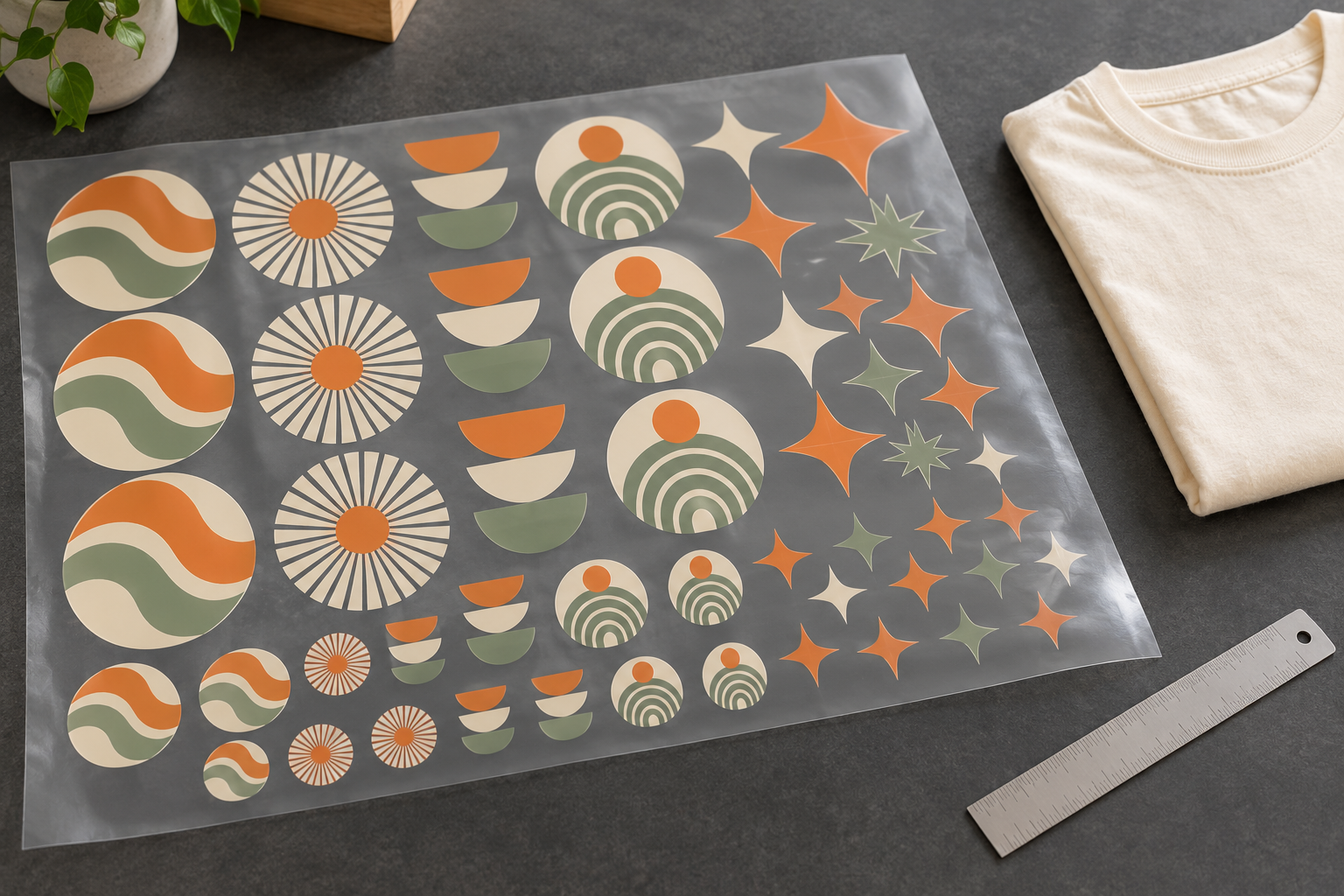
A gang sheet puts multiple designs or repeated copies into one artwork document for transfer-sheet printing. It can be useful when you need different design sizes or several graphics in the same sheet. The key is to prepare the file at its intended physical size, rather than relying on the printer to guess how large each design should be.
This guide covers bulk DTF orders where Pressing Matters prints the transfer sheets only. If you want finished printed garments, describe that when enquiring so the quote includes the appropriate products and application work.
Start with the required document settings
Bulk DTF sheet artwork requirements
- File: PNG with a transparent background.
- Resolution: 300 DPI at final print size.
- Document width: 22 inches (558.8 mm).
- Document height: as required for your layout.
At 300 pixels per inch, a 22-inch-wide document is 6,600 pixels wide. The required pixel height depends on your chosen physical height. Set both the physical dimensions and resolution in your design software, then confirm the exported PNG has the expected pixel dimensions.
For example, a 22 × 12-inch document at 300 pixels per inch is 6,600 × 3,600 pixels. This is an artwork-dimension example, not a statement of available ordering sizes or pricing increments. Confirm the order specification separately.
Set each design to its finished size
Decide the visible width and height of every design before duplicating it across the sheet. A chest mark, a large back graphic and a sleeve design usually have different requirements. Keep a separate list showing the intended size and quantity of each graphic.
Check that your software is measuring the artwork itself. An image with a large transparent border can have the correct overall file dimensions while the visible design remains much smaller than intended. Our general artwork guide provides more file preparation advice.
When resizing a design, preserve its proportions unless you intentionally want to alter its shape. Recheck the finished dimensions after any crop, canvas change or export.
Check resolution at the size you will print
The resolution label alone does not establish image quality. A raster design 900 pixels wide provides 300 pixels per inch when printed 3 inches wide. Enlarging it to 9 inches wide leaves only 100 pixels per inch unless new pixels are added.
Changing the resolution setting without sufficient original image detail does not restore a sharp logo or photograph. Return to a larger original file or a suitable vector source when available. Avoid using screenshots, messaging-app previews or small website images as the starting point for detailed print artwork.
Keep the background genuinely transparent
A white background in the file is different from transparency. Remove any unwanted background before exporting and inspect the PNG against both a dark and a light preview background. This makes it easier to spot pale edges, leftover pixels and accidental boxes around the design.
A checkerboard visible in an editor usually represents transparency, but a checkerboard saved as part of a flattened image is still artwork. Reopen the exported PNG to verify the background, rather than judging only the working document.
Arrange copies without creating cutting problems
Keep designs separate and allow room to cut them apart and position them for application. Do not let artwork touch or overlap adjacent graphics. Confirm any required edge margins, spacing, sheet-length limits and file-size limits with Pressing Matters before finalizing a large layout; this guide does not establish a universal spacing measurement.
Remove guides, unwanted labels and test graphics from the exported artwork. Anything left as visible pixels may become part of the print. Count the copies after arranging the sheet, particularly when several similar designs appear in different sizes.
Review the exported file before submitting
- The document is 22 inches wide at 300 DPI at final size.
- The PNG has a transparent background.
- Every visible graphic is the intended finished size.
- Design counts match your order notes.
- No graphics overlap, and the cutting space has been reviewed.
- No unwanted backgrounds, guides or labels remain.
Include the document dimensions and intended design sizes with your enquiry. If you are unsure whether a file is suitable, send it for review before treating the layout as print-ready. Visit our DTF transfers and gang sheets page for the service overview.
For application, request instructions appropriate to the supplied transfers and your garment. Heat, pressure, time and peeling requirements should be confirmed for the actual materials rather than assumed from a generic online guide.
